
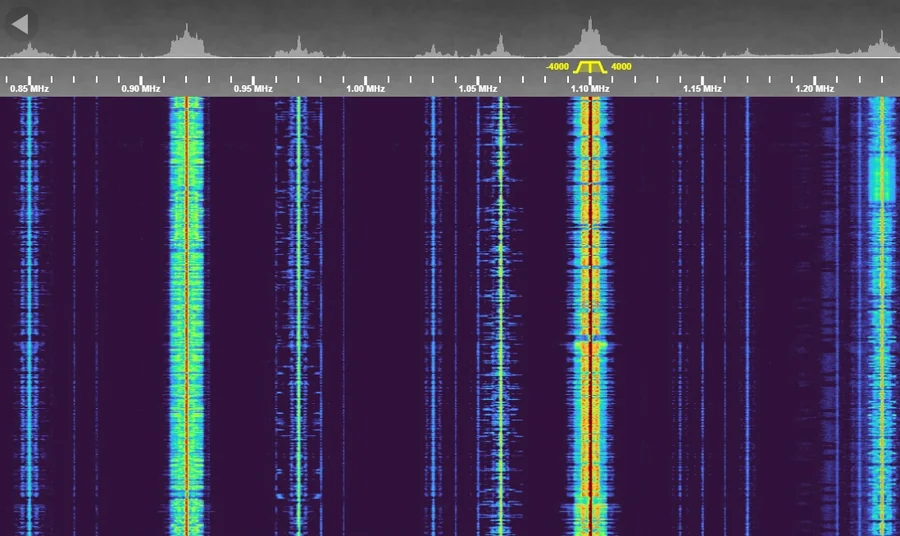
This is a live radio receiver at my home in northwest Las Vegas that you can use from your web browser. No radio or license needed. It's a software-defined radio (SDR): the radio hardware turns a wide slice of the airwaves into data, and the software shows every signal in that slice as a moving "waterfall" and lets you pick one to listen to. There are two receivers on two antennas, one for shortwave and one for VHF and UHF, so you can hear anything from AM and shortwave broadcasts and hams talking across the country to aircraft, NOAA weather and local repeaters. More about the equipment is on the About page.
The two receivers
HF Loop
MLA-30+ active loop antenna · shortwave and medium wave, 0.5–30 MHz
- AM broadcast
- The regular AM radio dial, 530–1700 kHz
- Ham bands
- 160, 80, 60, 40, 30, 20, 17, 15, 12 and 10 meters: voice, Morse code and digital modes like FT8
- Shortwave broadcast
- International stations on the 49, 41, 31 and 25 meter bands
- Time signals and CB
- WWV on 10 MHz, and the 27 MHz Citizens Band next to 10 meters
Discone
Tram 1410 Super Discone antenna · VHF and UHF, about 54–1000 MHz
- Ham bands
- 2 meters, 1.25 meters, 70 cm and 33 cm (900 MHz), including local Las Vegas repeaters. The HARC repeaters and the APRS frequency (144.390 MHz) are marked with yellow tabs
- GMRS, FRS and MURS
- Family two-way radios and GMRS repeaters (462–467 MHz), and MURS (151–155 MHz). Every channel, including the GMRS repeater inputs, is marked with a yellow tab
- Aircraft
- The airband, 118–136 MHz: control towers, approach and pilots over the Las Vegas valley
- NOAA Weather Radio
- Continuous forecasts and warnings from the National Weather Service
- FM broadcast
- The regular FM radio dial, 88–108 MHz
Digital voice
On the Discone · 70 cm ham band
Digital ham voice is decoded too: C4FM (Yaesu System Fusion) and D-Star, with the talker's callsign shown on screen. Try the H4, D-Star and C4FM Simplex tabs in the 70 cm band; they switch to the right mode by themselves.
How to listen
- Open the receiver and click anywhere on the page to start the sound. Browsers don't play audio until you click.
- Pick a band from the drop-down menu in the panel on the right. Each name starts with the antenna: "HF Loop" or "Discone".
- Find a signal. Signals show up as bright lines and patches in the waterfall. Click one to tune to it, and use the mouse wheel over the waterfall to zoom in.
- Choose the mode with the buttons in the panel, if the signal sounds garbled:
- AM AM and shortwave broadcasts, aircraft
- LSB ham voice below 10 MHz (160, 80, 40 m)
- USB ham voice above 10 MHz (20 m and up)
- FM repeaters, NOAA weather
- WFM FM broadcast stations
- CW Morse code
- Quiet the hiss with the SQ (squelch) slider, so you only hear it when someone transmits.
Sharing the receiver. Each antenna can only be on one band at a time, so if you change the band, everyone else listening on that antenna moves with you. The number of people listening is shown at the bottom of the receiver as "Clients". Tuning within a band never bothers anyone.
If all 4 spots are taken, you'll see a message saying the receiver is full. Please try again a little later.